
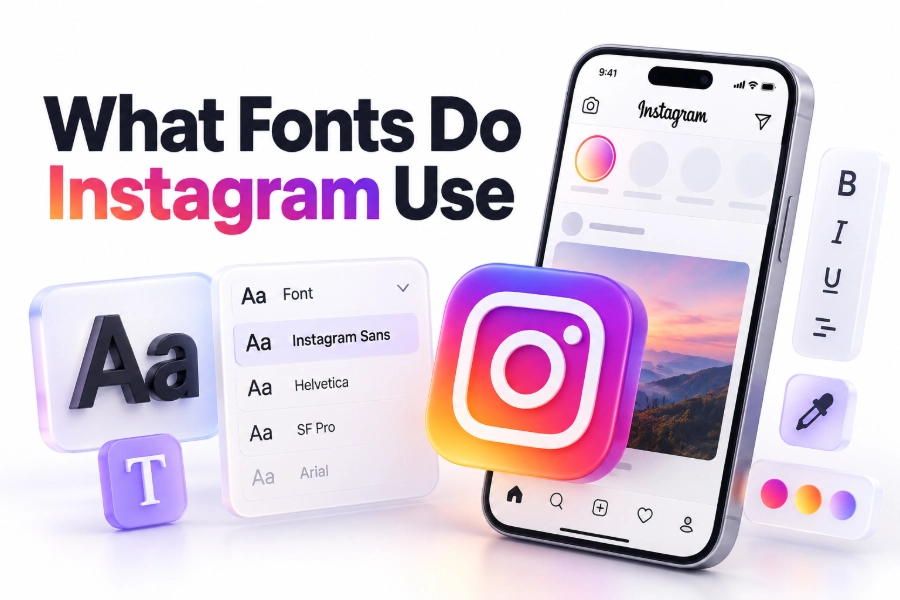
Instagram uses several different typefaces depending on where you see them. The platform’s main brand font is Instagram Sans, a custom typeface designed for Instagram’s identity across its app, website, marketing, and brand materials. Inside Stories and Reels, Instagram also offers built-in text styles such as Modern, Classic, Typewriter, Strong, Neon, and several newer variations. The Instagram logo itself uses a custom wordmark rather than a standard font you can simply download and type with.
The answer is slightly more complicated because Instagram does not use one font everywhere. The app interface may rely on platform-specific system fonts, while posts, captions, profiles, Stories, and branded graphics can display different typefaces. Instagram also supports Unicode-based font generators, although those characters come with important limitations.
This guide explains what fonts Instagram uses, which fonts are available in Stories, how to recreate the Instagram look, and which alternatives work best for posts, bios, Reels, and brand content. You will also learn how to avoid common font problems, improve readability, and choose type that feels native to the platform.
What Font Does Instagram Use
Instagram’s primary brand typeface is Instagram Sans. It was created specifically for the platform and is designed to feel friendly, expressive, modern, and flexible. The typeface includes a range of styles that allow Instagram to use typography across interface elements, advertising, campaigns, videos, and large display graphics.
Instagram Sans is not just a basic sans-serif font. It was developed to reflect the platform’s visual personality while supporting practical communication. Its letterforms are clean enough for everyday text but distinctive enough for headlines, promotional messages, and visual branding.
The font includes Latin characters as well as support for a range of other writing systems. Instagram’s design team developed it to work across multiple languages and contexts, which is essential for a global social network. Some versions and uses may vary depending on the language, platform, or specific Instagram design system.
The Instagram Logo Uses a Custom Wordmark
The Instagram logo does not use Instagram Sans in the same way ordinary text does. The word “Instagram” in the logo is a custom wordmark based on a modified script style. It resembles handwritten lettering and is designed to work with the app’s camera icon and gradient branding.
Because the logo lettering has been customized, typing the word in a similar-looking font will not create an exact match. Font recreations may look close, but they are not the official logo. Businesses should also avoid altering or recreating the logo in ways that could conflict with Instagram’s brand guidelines.
The Instagram wordmark has changed over time. Earlier versions had a more detailed camera icon and a different visual treatment, while the current identity is flatter and more adaptable for digital use. The recognizable script lettering remains an important part of the platform’s brand image.
Instagram Sans and the App Interface
Instagram Sans is most closely associated with Instagram’s public brand identity. It may appear in marketing campaigns, product announcements, editorial graphics, websites, videos, and other official materials. The exact font shown in the app interface may depend on the operating system and the specific screen.
On an iPhone, some text may appear using Apple’s system font, San Francisco, or another interface-specific style. On Android devices, parts of the interface may rely on Roboto or other system-level typography. This means the font you see in menus, buttons, and captions can vary slightly between devices.
The difference is easy to miss because these fonts share similar characteristics. They are all modern sans-serif typefaces designed to remain readable at small sizes. Instagram’s interface prioritizes clarity and consistency, so the typography is usually restrained even when the broader brand uses more expressive styles.
Instagram Story Fonts and Text Styles
Instagram Stories have their own set of text styles that users can select directly in the app. These styles are not always presented as downloadable font names, and Instagram may change their appearance or add new options over time. They are built into the Story editor rather than offered as a conventional font menu.
The most familiar Story styles include Classic, Modern, Neon, Typewriter, and Strong. Depending on the version of the app, account, device, and feature rollout, you may also see styles such as Comic, Italic, Simple, Poster, or other variations.
Each style creates a different mood:
Classic is a clean, traditional sans-serif style that works well for most announcements and everyday Story text.
Modern has a more polished editorial appearance and is often useful for short headlines or minimalist layouts.
Neon adds a glowing treatment that suits nightlife, music, events, and energetic visual content.
Typewriter creates a fixed-width, literary look that can work for quotations, notes, or nostalgic designs.
Strong uses heavier lettering for emphasis and is useful when text needs to remain visible over a busy image.
These names describe Instagram’s in-app styles rather than necessarily referring to publicly available font files. A type style may include custom spacing, outlines, shadows, animation, or alignment behavior that cannot be reproduced simply by installing a font with the same name.
Main Instagram Story Font Options
The Story editor’s font choices are designed for quick publishing. You do not need to select a font family, adjust detailed kerning, or manage a large design system. Instead, you choose a style, change the color or alignment, and position the text over a photo or video.
For better results, match the style to the role of the text. A short headline can handle a decorative treatment, while a paragraph needs a simpler style. Text that looks attractive in the editor may become difficult to read once placed over a bright image, moving video, or patterned background.
Useful choices for common Story content include:
- Use Classic for announcements, schedules, location details, and general information.
- Use Modern for clean product shots, fashion content, and minimal layouts.
- Use Typewriter for personal notes, quotations, and reflective captions.
- Use Strong for calls to action, warnings, and important details.
- Use Neon sparingly when the visual theme supports a glowing or nightlife effect.
- Use a plain, high-contrast style when accessibility and fast reading matter most.
How Instagram Fonts Work in Posts and Captions
Instagram does not provide a full font selector for ordinary captions. Captions generally display in the platform’s interface typography, which is controlled by Instagram and the user’s operating system. You cannot highlight a sentence in a caption and choose a different official typeface from the standard Instagram composer.
Some users create visual text using design software before uploading it as an image or video. In that case, the font is part of the uploaded media rather than the Instagram caption itself. This gives you more control over typography, but it also means the text may not be searchable, selectable, or accessible to screen readers in the same way as a written caption.
Another option is to paste special Unicode characters generated by a font converter into a caption or bio. These tools do not actually change the font. They replace ordinary letters with Unicode symbols that resemble bold, italic, script, or decorative lettering. Instagram then displays those characters using available device fonts.
Unicode Fonts in Instagram Bios and Captions
Unicode font generators are popular because they allow users to add stylized text to bios, captions, comments, and display names. A generator converts normal letters into alternative Unicode characters, which can create effects such as bold, italic, serif, monospace, circled, or script-like text.
This method can be useful for a short profile heading or a small visual accent. It is less suitable for entire paragraphs because decorative Unicode characters may reduce readability and create accessibility problems. Some characters also render differently on iPhone, Android, desktop browsers, and third-party apps.
Before using a Unicode style, test it on more than one device if the text is important. A character that appears correctly in the generator may display as a blank square, an unexpected symbol, or a different design after it is pasted into Instagram.
The main limitations include:
- Screen readers may pronounce unusual characters incorrectly or skip them.
- Search tools may not recognize stylized Unicode text as ordinary words.
- Some users may be unable to copy or understand decorative characters.
- The appearance can vary across operating systems and browsers.
- Excessive symbols can make a profile look cluttered or unprofessional.
- Password managers, accessibility tools, and translation features may handle the text poorly.
Best Font Alternatives for Instagram Graphics
If you are creating a post, carousel, cover image, or Reel in an external design tool, you can choose a font that resembles Instagram’s visual language without using the official brand typeface. Clean sans-serif fonts are usually the closest practical choice.
Fonts such as Helvetica, Arial, Avenir, Proxima Nova, Montserrat, Inter, and Poppins can create a modern social-media appearance. They are widely available, easy to read, and flexible enough for both headlines and supporting text.
For a softer and more distinctive result, try a rounded sans-serif such as Nunito or Quicksand. For a more editorial look, consider a combination of a restrained serif headline with a neutral sans-serif body font. The goal is not to imitate Instagram perfectly but to create a consistent visual system that works on small screens.
When selecting alternatives, consider the shape of lowercase letters, the width of the font, the weight range, and how it looks at mobile size. A font that appears elegant in a desktop design may become cramped or difficult to read when viewed in a vertical feed.
Instagram Font Combinations for Content Creators
Strong typography usually comes from pairing fonts with different roles rather than using many decorative styles. One typeface can handle headlines while another supports smaller information. Limiting the design to two font families often produces a cleaner and more recognizable feed.
A practical combination is Montserrat for headings and Inter for supporting text. Montserrat provides a bold, geometric appearance, while Inter remains readable at smaller sizes. A softer pairing might use Poppins for headlines and Nunito for captions within the graphic.
For a more premium look, pair a high-contrast serif such as Playfair Display with a neutral sans-serif such as Helvetica or Arial. Keep the serif for short titles and use the sans-serif for dates, prices, descriptions, or calls to action.
A useful font system might include:
- One headline style for titles and major statements.
- One body style for explanations and supporting details.
- One optional accent style for occasional labels or quotes.
- Two or three font weights to create hierarchy.
- Consistent spacing and alignment across every post.
Creating Instagram-Style Text in Canva and Other Tools
Most design platforms include fonts that can produce a similar visual mood to Instagram’s branding. In Canva, Adobe Express, Figma, Photoshop, and similar tools, start by searching for clean sans-serif fonts rather than trying to find an exact “Instagram font.”
Choose a font with clear letterforms, moderate spacing, and enough weight variation. Test it inside a realistic Instagram layout, including a phone-sized preview. This helps you see whether thin strokes disappear, whether long words wrap awkwardly, or whether the text competes with the image.
Keep the design practical. Use large enough type for mobile viewing, maintain strong contrast, and leave enough empty space around the text. A well-chosen simple font will usually perform better than a highly decorative option that looks impressive only when viewed at full size.
For brand accounts, save a small set of typography rules. Record the font names, weights, sizes, colors, alignment, and spacing used in your templates. This makes it easier to produce consistent content when multiple people create posts.
Instagram Fonts for Reels and Video Text
Reels often use text overlays that need to remain readable while the video moves underneath them. Instagram’s in-app text tools provide quick styling options, but creators may also add text in editing software before uploading the video.
For short videos, use bold, uncomplicated type with strong contrast. Place important text away from the edges because Instagram’s interface can cover parts of the video with profile information, captions, buttons, or other controls. The lower part of a Reel is especially vulnerable to overlap.
Animated text should appear long enough to read comfortably. A fast transition may look polished but still fail if viewers cannot process the message. Keep each screen focused on one idea, and break longer statements into short phrases rather than shrinking the font.
Captions remain important even when text appears in the video. On-screen text can reinforce a key point, while the written caption provides context, keywords, details, and accessibility support.
Fonts for Instagram Bios and Usernames
Instagram bios have limited space, so typography should support quick scanning. A simple standard font is usually the safest option, especially when your profile needs to be found through search or read by people using accessibility tools.
Unicode styling can be used for a short heading, label, or separator, but it should not replace the important information in your bio. Your name, service description, location, and contact details should remain easy to recognize.
Avoid using decorative Unicode for every word. A heavily stylized bio can make a profile harder to search, copy, translate, or understand. It may also appear inconsistent when viewed from another device.
A practical bio structure might include:
- A clear name or brand identifier.
- A short description of what you offer.
- A location or audience detail when relevant.
- One direct action, such as visiting a link or sending a message.
- Minimal symbols used only to organize information.
Common Instagram Font Problems and Solutions
Fonts that look correct in a design tool can behave differently after being uploaded to Instagram. Compression, resizing, contrast changes, and device differences all affect how text appears. The safest approach is to preview content on a phone before publishing.
Unicode characters create a separate set of problems. They can look stylish but may fail to display properly, especially when they come from less common character sets. If the text carries essential information, write it normally and use decorative characters only as a visual supplement.
The most common issues include:
- Thin text disappearing against photos or videos.
- Long headlines being cut off or wrapped badly.
- Decorative characters showing as boxes.
- Text being hidden behind Instagram interface controls.
- Small type becoming unreadable after image compression.
- Too many font styles weakening brand consistency.
- Important information becoming inaccessible to screen readers.
Instagram Typography Best Practices
Choose readability before decoration. A font should help people understand the message quickly, particularly when they are scrolling through a crowded feed. Use contrast, spacing, and hierarchy to make the content easier to scan.
Consistency also matters. Reusing the same headline and body styles helps people recognize your content before they read the account name. You do not need to use the official Instagram typeface to achieve a polished appearance.
Follow these practical guidelines:
- Keep body text simple and large enough for mobile screens.
- Use bold or color to create emphasis instead of excessive decorative fonts.
- Maintain sufficient contrast between text and its background.
- Limit each graphic to a small number of font styles.
- Check text near the edges of Stories and Reels.
- Test Unicode characters on different devices.
- Include important information in the caption as well as the graphic.
- Review the final upload for compression and cropping issues.
Using Instagram Sans for a Brand
Instagram Sans is closely connected to Instagram’s identity, but using it in your own business branding may not always be appropriate. Availability, licensing, brand guidelines, and the intended use of the font should all be checked before adopting it for commercial materials.
A similar sans-serif can often deliver the same clean, approachable feeling with fewer restrictions. Look for fonts with rounded shapes, open counters, and a wide range of weights. The visual effect comes from the entire system, including color, spacing, imagery, and layout, not just the typeface.
If your brand already has a defined font, do not change it simply because Instagram uses a recognizable style. A consistent brand identity across your website, email, packaging, and social profiles is usually more valuable than copying the platform’s typography.
For guidance on building consistent social graphics, see [Internal Link: social media design tips]. If you are developing a broader visual identity, [Internal Link: brand typography guidelines] can also help you choose font pairings and usage rules.
How Instagram Font Styles Affect Engagement
Typography does not automatically increase engagement, but it can affect whether people notice, read, and remember a message. A clear headline may help viewers understand a post quickly, while a cluttered decorative design can cause them to skip it.
The best font depends on the content and audience. A beauty brand may use elegant editorial typography, while a local service provider may benefit from bold, high-contrast lettering. Educational accounts generally need especially clear body text because their posts often contain several lines of information.
Measure the result through practical signals rather than assuming a particular font will perform better. Compare saves, shares, profile visits, watch time, and comments across content with different visual treatments. Keep the topic, format, and call to action as consistent as possible when testing typography.
Conclusion
Instagram’s main brand typeface is Instagram Sans, while the logo uses customized lettering and the app interface may display system fonts depending on the device and screen. Stories offer several built-in text styles, including Classic, Modern, Typewriter, Strong, and Neon, but those styles are part of Instagram’s editor rather than a single downloadable font family.
For captions and bios, Instagram does not provide a standard font menu. Users can paste Unicode-based styled characters, but these may cause accessibility, search, compatibility, and readability problems. Use them sparingly, especially when important information is involved.
For posts, Reels, and branded graphics, clean alternatives such as Inter, Helvetica, Arial, Montserrat, Poppins, and Avenir can create a polished platform-friendly look. Prioritize mobile readability, strong contrast, consistent font pairings, and safe placement within Instagram’s interface.
The practical answer to what fonts do instagram use is that the platform uses a combination of Instagram Sans, custom logo lettering, system typography, built-in Story styles, and user-created text graphics. Choose the option that best fits your content rather than trying to force every design into one typeface.
Frequently Asked Questions
What is Instagram’s official font?
Instagram’s official brand typeface is Instagram Sans. It was created for Instagram’s brand communications and can appear across marketing, campaigns, websites, and other visual materials. The exact interface font may vary by device and operating system.
What font does Instagram use in Stories?
Instagram Stories use built-in text styles such as Classic, Modern, Typewriter, Strong, and Neon. Names and available styles can change as Instagram updates the app, and the styles may include effects beyond the underlying letterforms.
Can I use Instagram Sans in my own designs?
You should check the font’s availability, licensing terms, and Instagram’s current brand guidance before using it commercially. In many cases, a comparable sans-serif font is a simpler and safer option for independent brand graphics.
How do people get different fonts in Instagram bios?
Most people use a Unicode text generator, which converts ordinary letters into special characters that resemble bold, italic, script, or decorative fonts. These characters are not true font changes and may display differently across devices.
What font looks most like Instagram Sans?
Clean sans-serif fonts such as Inter, Helvetica, Avenir, Montserrat, and Poppins can create a similar modern appearance. Inter and Avenir are especially useful when you want readable text with a polished, contemporary feel.